The Deals board
The board and the table of your deals, what each column means, and how a deal moves.
Deals has two views: Board, the columns with Won and Lost at the end, and Table, a row for each deal. A person drags a deal on the board, and a tommo proposes a move on a card.
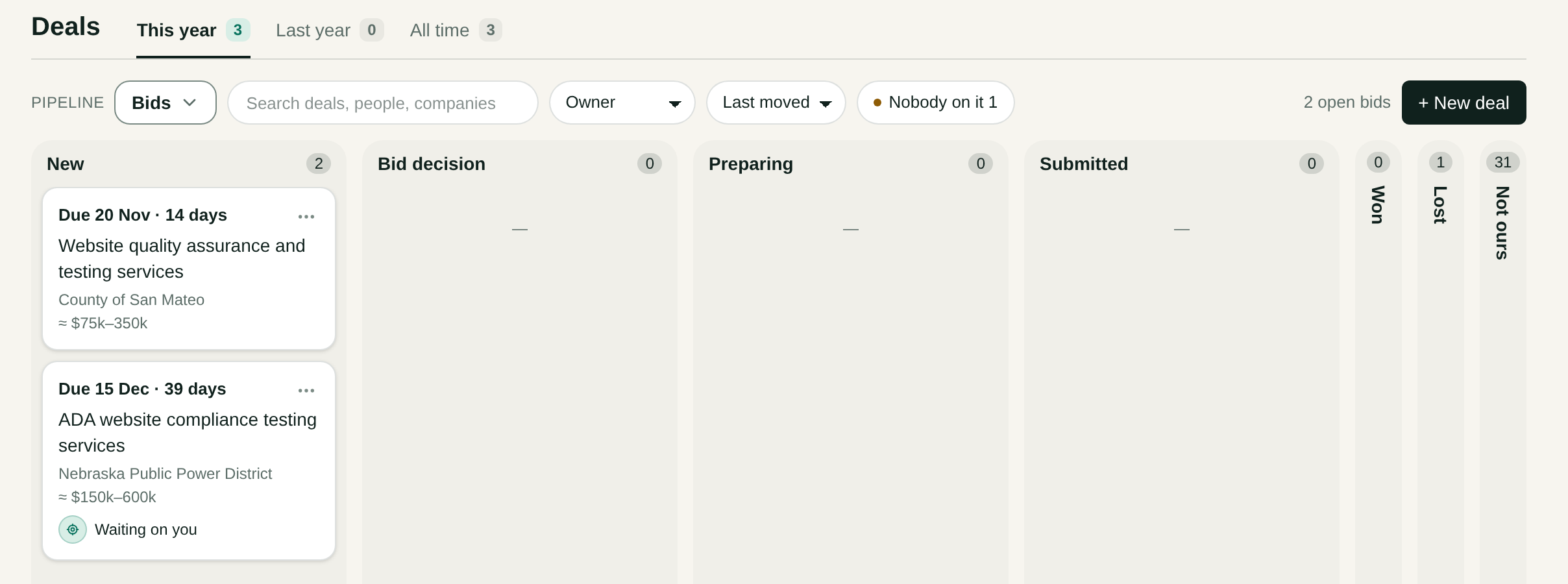
Read the board
The top line gives the open deals and their sum, and what you won this year. Filter by Owner and Amount ≥, and order by Last moved, Newest or Largest. Nobody on it shows open deals no tommo has worked.
Closed columns stand folded at the end of the board as a narrow strip with a name and a count. A press opens one, and the board remembers it.
This year, Last year and All time at the top choose which deals the page holds, each with its count.
The table
Press Table to see the same deals side by side. The view comes at once, and the address names it, so Back returns to the board.
| Column | What it says |
|---|---|
| Deal | The deal's name. Press it to open the deal. |
| Company, Person | Whose deal it is. |
| Stage | Its column on the board. |
| Amount | The deal's amount. |
| Owner | Who owns the deal. |
| Next step | The next act of the deal's tommo, with the tommo and the day. Waiting on you marks a card that waits for you. A paused deal says Paused. |
| Last touch | The day of the last email, meeting or call of the deal. |
The table opens with the open deals first, the newest last touch on top, and the closed deals after them. Narrow it by Stage and Owner, or search it. Columns chooses which columns stand and in what order, and the table keeps your choice.
Other boards
Pipeline picks the board. Bids have their own page, Bids, and the companies you prospect stand on the board Prospecting in Companies.
Move a deal
Drag a deal to a column. A deal dropped on Lost asks for the reason first. You keep the list of reasons in Settings, Deals.
What each column means
Each open column carries a text, What this column means, in your own words. The tommos read it, and a column name alone tells them only a word. When your offer is out, Tommo Closer moves the deal to the column whose meaning fits, so write the meaning with care.
Open the pipeline's menu, then Edit pipeline, to add, rename and order columns. A new open column cannot be saved without its meaning. A column made before this rule shows as one Tommo cannot read yet.
The won column can carry a meaning too, and it says what makes a deal won for your company. The default text is «The client signed or sent a purchase order.»
More than one pipeline
New pipeline adds a board. Edit pipeline also makes a board your default, or deletes it.